tap2alert. Location-aware emergency reporting.
Emergency reporting from a registered help point. A tap is designed to open a page that carries the help point’s registered location, where the person chooses what is happening; the organisation’s own response team sees the alert on a map console.
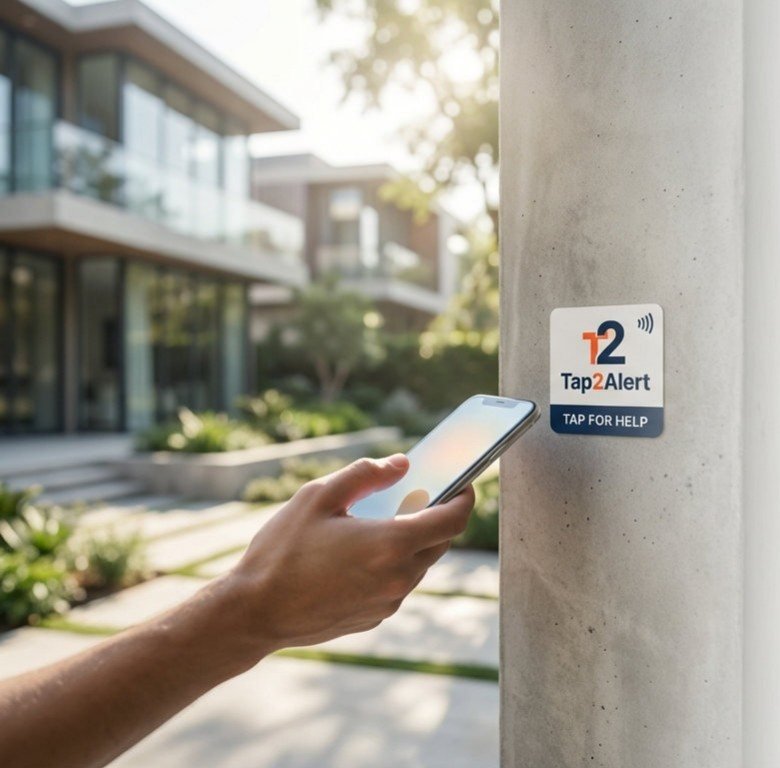
Where it lives, and what one tap does.
Where
Public spaces, campuses and large industrial sites.
The tap
Someone who needs help taps the help point.
The outcome
An alert with the help point’s registered location reaches the organisation’s own response team. It complements emergency numbers and fire-alarm systems and does not replace them.
tap2alert complements emergency numbers and fire-alarm systems. It does not replace them. Anyone in danger should also call the local emergency number.
From the tag to the record, in four steps.
The blue step is the tap. The steps before it are set up once; the steps after it show what happens next, and who acts.
Register
Locations are registered with their type and position. Tags are written and fixed at each point.
Tap
Someone taps the help point. The public page it opens is designed to carry the help point’s registered location, with no app.
Choose
That page is designed to offer fire, medical, security or assistance. Alerts appear on the response team’s map console with an audio notification.
Respond
A dispatcher in the organisation’s team moves the alert from pending to dispatched, en route, on scene, and resolved or false alarm.
What is built and ready to pilot, and what is on the roadmap.
tap2alert is built and offered as a scoped pilot programme: one place, measures agreed before the first tag goes up, and a review at the end.
Built, ready to pilot
- A map console with audio alerts for the organisation’s dispatchers
- Lifecycle: pending, dispatched, en route, on scene, resolved or false alarm
- Locations, users and tags managed in one console
- Reports and CSV export
On the roadmap
- The public page a tap opens, with the help point’s registered location and a choice of fire, medical, security or assistance, in several languages
- A field app for responders
- Connection to public emergency control rooms and fire-alarm panels
- Automated incident reports
The tag, the people and the measures.
Hardware
A help-point tag on a pillar, a wall or a stand at registered locations: generator rooms, lobbies, plazas.
The QR code is printed on the same tag, so a phone without NFC still works. Designed to support secure (NTAG 424 DNA) tags where a deployment requires them.
People and records
The public and staff, the organisation’s dispatchers and responders, the owner of the service.
The console is in Arabic and English; the public page is on the roadmap. Each alert keeps its lifecycle, and reports export to CSV.
What a first deployment measures
- Time from alert to response
- Alerts where the registered location was enough to find the person
- False alarms and their causes
tap2alert in the sectors it serves.

Civil defence and emergency services
Put the help point’s location in the responder’s hands before the first call ends.
See the solution
Municipalities
Municipal operational intelligence: every public asset becomes a point of service, reporting and response.
See the solution
Residential developments
One tagged estate for access, services, early warnings and emergencies.
See the solution
Healthcare and hospitals
Evidence of presence and task completion where care is delivered, without new terminals.
See the solution
Higher education
Attendance that professors trust and registrars can defend, from the lecture-room door.
See the solution
Government
Verified presence and accountable field operations, without pooling every agency’s data.
See the solution
The other productsSame pattern, a different place
 tap2visitGated entry points
 tap2workSite attendance
 tap2attendClassroom roll call
 tap2shopRetail conversion
 tap2linkMenus and links
 tap2voteFan participation
 tap2sayService feedback
 tap2idDigital profiles

Put tap2alert on the help point.
Start with one place and the measures agreed before the first tag goes up. Time from alert to response, for a start.