tap2attend. Roll call that fills itself in.
Verified class attendance from a tag in the room. Server rules decide Present or Late, the professor sees a live roster, and corrections are settled without rewriting history.
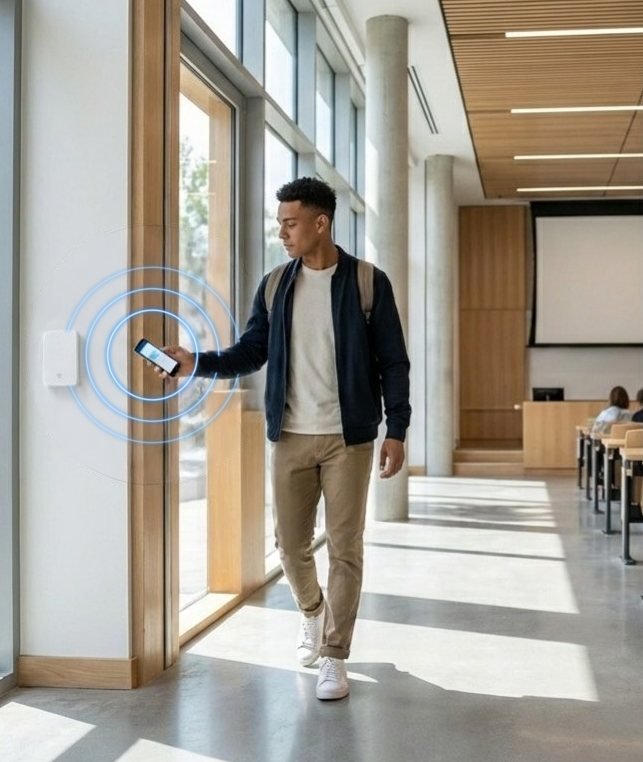
Where it lives, and what one tap does.
Where
Universities, colleges, training centres and schools.
The tap
A student taps the room tag on entry; in schools, staff confirm presence and students carry nothing.
The outcome
An automatic roll call with no paper sheets, across one campus or many.
From the tag to the record, in four steps.
The blue step is the tap. The steps before it are set up once; the steps after it show what happens next, and who acts.
Schedule
The registrar sets terms, courses, rooms and enrolments. Sessions are generated from the timetable.
Tap
The student taps the room tag on entry. tap2 checks the room, the active session, the enrolment and the timing window.
Roster
The professor sees the live roster. If a tag or phone fails, a time-boxed fallback mode is opened and logged.
Settle
Absences are marked on schedule. A student can file a correction, the professor reviews it and the registrar decides.
What is built and ready to pilot, and what is on the roadmap.
tap2attend is built and offered as a scoped pilot programme: one place, measures agreed before the first tag goes up, and a review at the end.
Built, ready to pilot
- A room tag tied to the scheduled session
- Present or Late decided by server rules and the check-in window
- Live roster for the professor or trainer
- Time-boxed fallback mode when a tag or phone fails, every activation logged
- Correction requests: student, then professor, then registrar
- Administration across several institutions
- Arabic, English and German
On the roadmap
- Single sign-on and student-system integration, scoped per institution
- Exam and lab attendance
- Offline tap queue, in verification
The tag, the people and the measures.
Hardware
A tag fixed in each teaching room, on the door frame or the desk.
Designed to support secure (NTAG 424 DNA) tags where a deployment requires them.
People and records
Students and trainees, professors and trainers, the registrar and leadership.
Arabic, English and German, with right-to-left Arabic. Every tap is recorded with its time and place; corrections are added on top, never overwriting the original.
What a first deployment measures
- Minutes of lecture time returned per session
- Correction requests and how they were settled
- Attendance by section and course
tap2attend in the sectors it serves.

Higher education
Attendance that professors trust and registrars can defend, from the lecture-room door.
See the solution
The other productsSame pattern, a different place
 tap2visitGated entry points
 tap2workSite attendance
 tap2shopRetail conversion
 tap2linkMenus and links
 tap2voteFan participation
 tap2alertEmergency reporting
 tap2sayService feedback
 tap2idDigital profiles

Put tap2attend on the desk or door.
Start with one place and the measures agreed before the first tag goes up. Minutes of lecture time returned per session, for a start.